
How to Choose the Best Robotics Software?
Choosing the best robotics software is rarely about selecting the most famous platform. It is about matching software capabilities to real operating conditions, team skills, and business goals. A warehouse robot may need reliable navigation, fleet coordination, and rapid recovery after a blocked aisle. A surgical or inspection robot demands stricter validation, traceability, and carefully controlled interfaces. The right choice begins with the robot’s work, not the software’s marketing language.
Brian Gerkey, co-founder and CEO of Open Robotics, has explained, “ROS is not an operating system in the traditional sense of the word.” This distinction matters. Robotics software usually combines middleware, drivers, simulation tools, perception libraries, motion planning, monitoring, and deployment services. These parts must communicate smoothly while handling noisy sensors, changing environments, and occasional hardware failures. A polished demonstration proves little. A system that restarts safely at 3 a.m. proves much more.
This guide examines the practical criteria behind a dependable decision. We will consider hardware compatibility, real-time performance, security, scalability, documentation, testing, vendor support, and total ownership costs. Open-source tools can accelerate development, but they still require maintenance, skilled engineers, and disciplined updates. Commercial platforms may reduce integration effort, yet licensing limits can become expensive later. There is no universal winner. That is the uncomfortable part. Even experienced teams can choose poorly when they trust benchmarks more than field evidence. Small trials, recorded failure cases, and conversations with current users often reveal more than impressive feature lists. The best robotics software is the software your team can understand, test, maintain, and trust under pressure.
Defining Your Robotics Project’s Software Requirements
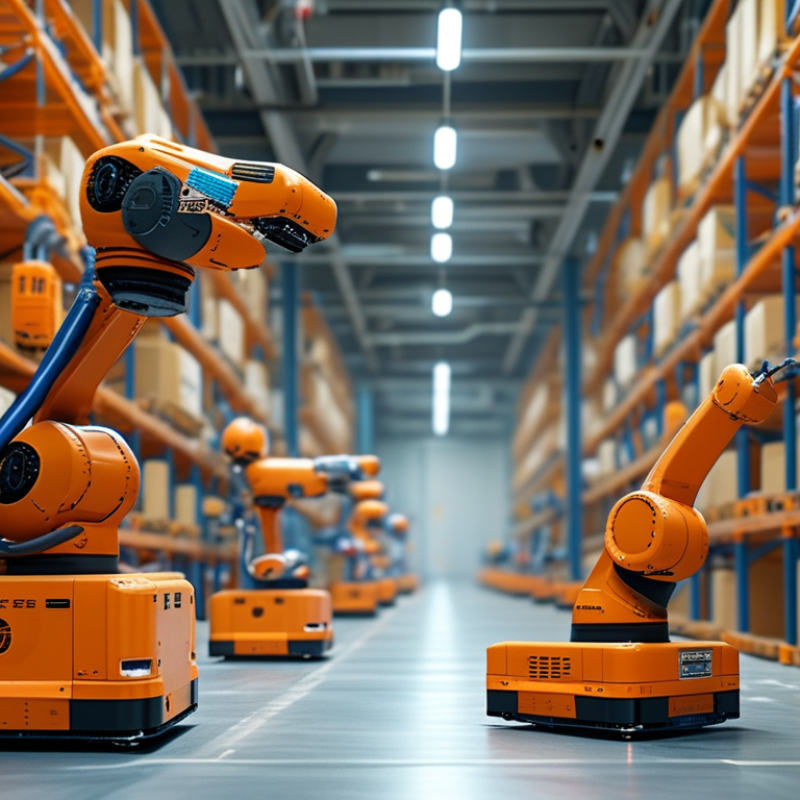
Choosing robotics software starts with defining the work your robot must perform. Describe the environment, users, tools, and expected results. A warehouse robot may need accurate mapping, obstacle detection, and reliable movement between narrow shelves. A laboratory robot may prioritize repeatable motion and careful data handling. Write these requirements before comparing platforms. Vague goals create expensive misunderstandings.
Measure it early. Set practical targets for response time, positioning accuracy, uptime, and recovery after a fault. For example, specify whether a five-centimeter stopping error is acceptable. Record lighting changes, floor conditions, network interruptions, and payload weight. These details shape sensor selection and software architecture. They also reveal whether the system needs local processing, remote monitoring, or both.
Your team’s experience matters as much as technical features. Choose tools your engineers can test, debug, and maintain for several years. Check documentation quality, update policies, simulation support, and integration with existing controllers. Ask how failures are logged and reproduced. A polished demonstration proves little. I once underestimated maintenance access because the prototype ran smoothly for one afternoon. That assumption was wrong. Schedule realistic trials with dirty sensors, delayed signals, and an inexperienced operator. Small failures matter. Requirements should remain measurable, reviewable, and adjustable as field evidence changes.
| Requirement Dimension | What to Define | Example Measurable Requirement | Why It Matters | Verification Method |
|---|---|---|---|---|
| Robot Platform Compatibility | Supported robot type, processor architecture, operating system, sensors, actuators, communication interfaces, and simulation environment. | The software shall run on the selected embedded computer, support the required sensor drivers, and operate with the robot’s control interfaces without proprietary hardware dependencies. | Incompatible drivers or hardware assumptions can make an otherwise capable software system unusable. | Build and execute a hardware-in-the-loop test using the final robot configuration. |
| Real-Time Control | Control-loop frequency, maximum latency, timing jitter, and behavior during processor or network load. | The control loop shall run at 100 Hz, with end-to-end command latency below 10 ms and defined behavior when timing limits are exceeded. | Unpredictable timing can reduce motion stability and increase safety risk, especially for dynamic robots. | Measure timestamps under normal operation and worst-case CPU, memory, and network load. |
| Perception Performance | Required sensors, detection classes, accuracy, update rate, environmental conditions, and maximum processing delay. | Object detection shall achieve at least 95% recall for defined test objects, update at 15 frames per second, and produce results within 100 ms of image capture. | Perception quality directly affects localization, manipulation, navigation, and obstacle avoidance. | Evaluate a representative test dataset and conduct field tests in expected lighting, temperature, and clutter conditions. |
| Localization and Mapping | Required position accuracy, map size, relocalization time, drift tolerance, and performance in changing environments. | The robot shall maintain a position error below 5 cm in the defined operating area and relocalize within 10 seconds after a temporary tracking loss. | Accurate and reliable localization is necessary for repeatable navigation and precise task execution. | Test repeated routes with changes in lighting, movable objects, and temporary sensor occlusion. |
| Navigation and Motion Planning | Operating space, obstacle types, clearance, replanning time, speed limits, and recovery behavior. | The planner shall replan within 500 ms after detecting a blocked route, maintain the configured safety clearance, and provide a defined recovery action when no valid path exists. | Planning behavior determines whether the robot can complete tasks safely in changing environments. | Run blocked-route, narrow-passage, dynamic-obstacle, and dead-end scenarios in simulation and on the physical robot. |
| Safety and Risk Controls | Emergency stop behavior, speed and force limits, protective zones, fault handling, safe states, and applicable regulations or standards. | A detected critical fault shall place the robot in its defined safe state, and the emergency-stop response shall meet the project’s documented risk-assessment limit. | Safety requirements must be explicit, testable, and aligned with the robot’s operating environment and risk assessment. | Perform fault injection, emergency-stop tests, power-loss tests, and documented safety validation against applicable requirements. |
| System Integration | Interfaces with enterprise systems, industrial equipment, databases, user applications, and other robots. | All external interfaces shall use documented message schemas, versioned APIs, defined timeout values, and explicit error codes. | Clear interfaces reduce integration effort and prevent failures caused by ambiguous data or timing assumptions. | Use interface tests, schema validation, timeout tests, and compatibility tests for every supported API version. |
| Fleet and Multi-Robot Coordination | Number of robots, task allocation, traffic management, charging coordination, shared maps, and degraded-operation behavior. | The system shall coordinate the planned fleet size, prevent conflicting reservations of shared work areas, and continue safe operation when one robot becomes unavailable. | Coordination requirements become central when robots share routes, resources, or workstations. | Stress-test task allocation and traffic control at the expected fleet size plus a defined capacity margin. |
| Reliability and Availability | Operating hours, restart behavior, failure recovery, maintenance windows, and service availability. | The software shall support continuous operation for the planned shift duration, automatically recover from non-critical process failures, and preserve diagnostic logs after restart. | Operational downtime can be more costly than the initial software purchase or development effort. | Conduct endurance tests, restart tests, process-failure injection, and recovery-time measurements. |
| Cybersecurity and Access Control | User roles, authentication, encrypted communication, software updates, network segmentation, and audit records. | Administrative functions shall require authenticated access, permissions shall follow least-privilege principles, and security-relevant actions shall be recorded with timestamps. | Connected robots can affect physical systems and may process operational or personal data. | Perform access-control testing, vulnerability assessment, update testing, and review of audit records. |
| Deployment and Updates | Installation method, configuration management, rollback, offline operation, environment separation, and version traceability. | Each deployment shall be versioned, repeatable, reversible, and testable in a staging environment before production release. | Controlled deployment reduces configuration drift and limits the impact of defective updates. | Perform staged releases, failed-update simulations, rollback tests, and configuration-difference checks. |
| Monitoring and Diagnostics | Health metrics, event logs, alerts, telemetry retention, remote diagnostics, and operator notifications. | The system shall expose robot state, battery status, sensor health, fault codes, task status, and communication status with timestamps. | Useful diagnostics shorten troubleshooting time and help identify recurring failures before they interrupt operations. | Disconnect sensors, interrupt communications, trigger low-battery conditions, and confirm that alerts and logs are complete. |
| Simulation and Testing | Simulation fidelity, scenario coverage, automated regression tests, recorded-data playback, and hardware-in-the-loop support. | Every safety-critical and mission-critical behavior shall have repeatable automated tests before deployment to physical robots. | Simulation and automated testing reduce physical test time and make software changes easier to validate. | Review test coverage, replay recorded sensor data, compare simulated and physical results, and run regression suites. |
| Maintainability and Extensibility | Modular architecture, documentation, coding standards, interface stability, configuration options, and replacement of components. | Core functions shall be separable modules with documented interfaces, automated builds, and version-controlled configuration. | Robotics projects commonly evolve as hardware, environments, and task requirements change. | Conduct architecture review, build the system from a clean environment, and replace one component without modifying unrelated modules. |
| Operator Experience | User roles, workflow steps, training needs, language support, alert clarity, manual controls, and accessibility. | An authorized operator shall be able to start, pause, resume, inspect faults, and place the robot in a safe state using documented workflows. | Clear operator interaction reduces training time and lowers the probability of avoidable operating errors. | Conduct task-based usability tests with representative operators and measure completion time and error rate. |
| Cost and Lifecycle Fit | Development effort, integration cost, support requirements, compute resources, update costs, and expected service life. | The selected software shall meet the required functions within the project’s total lifecycle budget, including integration, testing, support, and future hardware changes. | A low initial cost may become expensive if integration, maintenance, or scaling requirements are not included. | Compare total cost of ownership using a documented five-year estimate and validate assumptions with a pilot project. |
| Best practice: convert each example target into a project-specific “shall” statement, assign an owner, define an acceptance test, and prioritize requirements by safety impact, operational value, technical dependency, and implementation effort. | ||||
Related Posts
-
What is Robotics Software? Understanding Its Benefits and Applications
-

How to Choose Robotic Automation Solutions for Your Business
-
What is Robotics Engineering Courses and How Can They Benefit You?
-
How to Leverage Robotic Solutions at 2026 Canton Fair?
-

10 Essential Tips for Choosing the Best Robotics Software
-

2026 Best Automation Systems for Global Buyers to Consider?