How to Choose an Embedded Display for Your Product in 2026?
Choosing an Embedded Display in 2026 is not simply a resolution decision. It is a product decision.
The right panel must survive real conditions. Think of warehouse dust, glove-based input, sunlight through a vehicle window, and repeated cleaning. Engineers must examine brightness, viewing angles, touch performance, thermal limits, power consumption, and long-term availability. A beautiful prototype can still fail beside a hot motor or a cold outdoor cabinet. That lesson comes from practical product development, not only laboratory testing.
Display industry analyst Bob Raikes offers a useful principle: “The display is part of the user interface, not just a window.” His point remains relevant as products become more connected and visually demanding. An Embedded Display now communicates status, guides decisions, and supports safety-related workflows. Its software, controller, touch layer, and mechanical frame deserve equal attention. Check the entire system.
Some choices look obvious.
They are not always.
This guide examines display technologies, optical bonding, interfaces, environmental ratings, customization, sourcing, and lifecycle support. It also considers emerging options, including OLED, mini-LED, low-power LCDs, and intelligent display modules. Yet no technology wins everywhere. OLED may deliver deep blacks, while LCD can offer stronger cost control and longer availability. Mini-LED can improve contrast, but it may increase power and design complexity.
A careful selection process should include hands-on samples, thermal testing, sunlight evaluation, and supplier audits. One weakness remains easy to miss: teams often test the screen alone, not the finished product. That shortcut can produce expensive surprises. In 2026, the strongest decision balances visual quality, engineering evidence, user needs, and realistic manufacturing constraints.
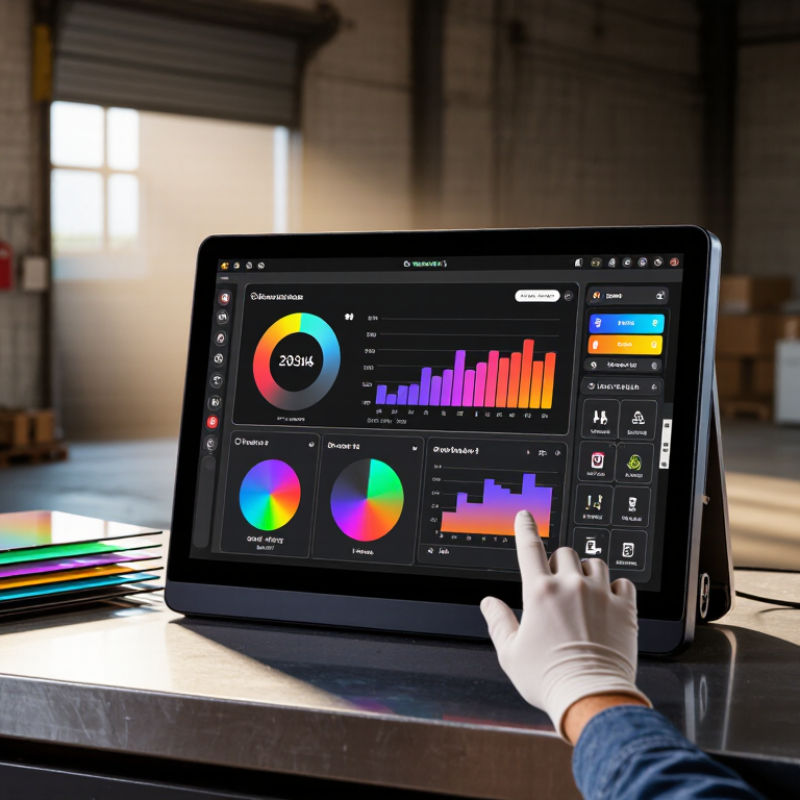
Define the Product’s Display Requirements and Operating Environment
Before selecting an embedded display, define what users must see, touch, and understand. A maintenance panel may need large status icons, while a handheld meter needs compact readings. Measure viewing distance, glove use, expected response time, and the smallest text operators must read. Do not choose resolution by habit. Calculate pixel density from actual graphics and font sizes. Record whether the interface needs touch, physical controls, or both.
The operating environment can change the specification quickly. A display inside a sealed outdoor enclosure may face sunlight, condensation, dust, vibration, and temperatures below freezing. Measure ambient light at the installation site, not only in a laboratory. Check whether the front surface stays readable through tinted glass or protective film. For industrial equipment, review shock levels, cleaning methods, cable routing, and continuous operating hours. Ingress protection requirements should match the enclosure design and maintenance process. An overly bright panel can create heat and shorten service life.
Create a requirement sheet with measurable limits and acceptance tests. Include brightness, contrast, viewing angle, touch accuracy, startup time, lifetime, and power limits. Prototype under worst-case conditions. I once treated a warm workshop as a normal environment; that assumption was too optimistic. Seasonal testing later exposed slow touch response near freezing temperatures. That mistake changed our review process. Leave room for uncertainty, because real users rarely behave like test operators. A clear requirement definition makes later display comparisons more honest and technically defensible.
Compare Display Technologies, Sizes, Resolutions, and Viewing Characteristics
Choosing an embedded display in 2026 starts with the environment, not the product brochure. Omdia’s 2024 Display Long-Term Demand Forecast estimated over 180 million automotive displays would ship in 2024. That figure reflects a clear trend: displays must survive vibration, glare, temperature changes, and frequent touch input. For compact instruments, 2–5 inches often balances readability and enclosure space. Larger control panels may need 7–15 inches. Measure viewing distance before selecting a diagonal size.
LCD remains practical when high brightness, long availability, and controlled cost matter. OLED delivers deeper blacks and faster visual response, but prolonged static graphics can create uneven aging. Mini-LED backlighting improves contrast without changing the basic LCD structure. According to the 2024 DSCC OLED Shipment Report, OLED demand continues expanding across mobile and specialized applications, although forecasts can shift with manufacturing capacity. E-paper uses very little power for static images. It responds slowly, however. Not ideal for fast menus.
Resolution should match content density, not marketing language. A 5-inch screen may need 800 × 480 pixels for simple status data, while detailed maps benefit from 1280 × 800 or higher. Viewing angle matters in real use. A driver standing 30 degrees off-axis may see color and contrast changes before a laboratory test reveals them. I once trusted a bright prototype too quickly. Direct sunlight still exposed weak optical bonding. Test with gloves, dust, reflections, and tired users. Specifications help, but field conditions usually decide.
Evaluate Touch, Connectivity, Processing, and Software Compatibility
Choosing an embedded display in 2026 starts with touch behavior, not diagonal size. Define the user’s hands first. Capacitive touch suits clean indoor panels, while other touch systems need careful tuning around gloves, water, and thick covers. Test taps with wet fingers, work gloves, and a stylus. A bright screen can still fail when touch targets are too small. In one practical evaluation, a 7-inch panel felt responsive on a bench but frustrating inside a vibrating enclosure.
Map every connection before selecting the display. Video interfaces, USB, serial buses, Ethernet, and wireless links may affect enclosure design. Check cable length, connector access, shielding, and startup behavior. Processing capacity matters when the interface renders maps, camera feeds, or local analytics. Do not size the processor only for today’s interface. Leave thermal headroom. A cool enclosure often improves long-term reliability.
Software compatibility often decides whether installation stays simple. Confirm operating system support, graphics libraries, touch drivers, update methods, and security controls. Ask whether the display can recover after an interrupted update. A panel that needs custom driver work may consume more engineering time than expected. That cost is easy to miss. Firmware updates also deserve field testing, especially with limited connectivity. I have learned that documentation can look complete until a minor driver mismatch appears. I still allow extra integration time, because laboratory success rarely matches every production condition.
How to Choose an Embedded Display for Your Product in 2026?
A practical 100-point evaluation model for comparing embedded displays across touch performance, connectivity, processing capability, and software compatibility.
Touch and software compatibility receive the highest weighting because they directly affect user experience, application integration, testing effort, and long-term maintainability. Connectivity and processing should be increased for connected, camera-enabled, or data-intensive products.
Assess Durability, Power Consumption, Compliance, and Lifecycle Support
How to Choose an Embedded Display for Your Product in 2026?
Assess Durability, Power Consumption, Compliance, and Lifecycle Support
An embedded display should survive its actual environment, not a showroom test. Check operating temperature, vibration, humidity, dust, and repeated cleaning. A sealed enclosure may still fail if connectors loosen over time. Ask for test methods, sample size, and failure thresholds. “Industrial grade” means little without evidence. In field projects, I have seen a bright screen become unreadable under direct sunlight. Measure contrast at the installation site. Also check touch performance with gloves and moisture.
Power use affects heat, battery life, and enclosure design. Compare typical, peak, and standby consumption. A display that saves energy may refresh slowly or dim too aggressively. That trade-off needs testing. Compliance is equally practical. Request current documentation for safety, electromagnetic compatibility, environmental substances, and regional market access. Verify that certificates match the exact model and configuration. Do not rely on a similar product number.
Tips: Build a small test rig early. Log temperature, voltage, brightness, and touch errors. Test worst-case conditions for several weeks. Review the supplier’s quality records and change-notification process. Confirm spare availability, repair options, and firmware support for the planned product life. A five-year promise needs written terms. I would also reserve time for redesign. Unexpected shortages and component changes still happen.
Select the Best Display Through Prototyping, Testing, and Cost Analysis
Choosing an embedded display in 2026 should begin with a working prototype, not a supplier spreadsheet. Define viewing distance, ambient light, touch behavior, processor limits, and enclosure space. Then test the display inside the product shell. A panel that looks excellent on a desk may wash out near a window. Small details matter. Measure boot time, glare, touch accuracy, and connector clearance. Record results under repeatable conditions, including 0°C, room temperature, and high heat when required. Test it physically.
Create a short test plan before comparing prices. Check brightness after prolonged operation, backlight consistency, viewing angles, image retention, and response time. For touch products, test wet fingers, gloves, repeated taps, and edge gestures. Ask an engineer to inspect firmware support, interface timing, mounting tolerance, and replacement availability. Independent measurements are valuable, but they should not replace hands-on trials. We once rejected a cheaper panel after its cable bent sharply during assembly. Our first cost model ignored it.
Cost analysis should include more than unit price. Add tooling, protective glass, cables, software work, testing labor, shipping, spare units, and expected returns. Compare the cost per usable product, not the cost per panel. A brighter screen may reduce installation errors, while a slower interface may increase service calls. Keep a scoring sheet with weighted priorities and evidence links. Review it with manufacturing and field-service teams. Leave room for uncertainty. Early estimates are often optimistic, and pretending otherwise weakens decisions.